This is a particularly helpful feature, especially when the office manager is running 950+ Sunday booklets and you don't want to wait several hours to make the copies that you need. Even if you work in another building, this feature should work on all copiers!
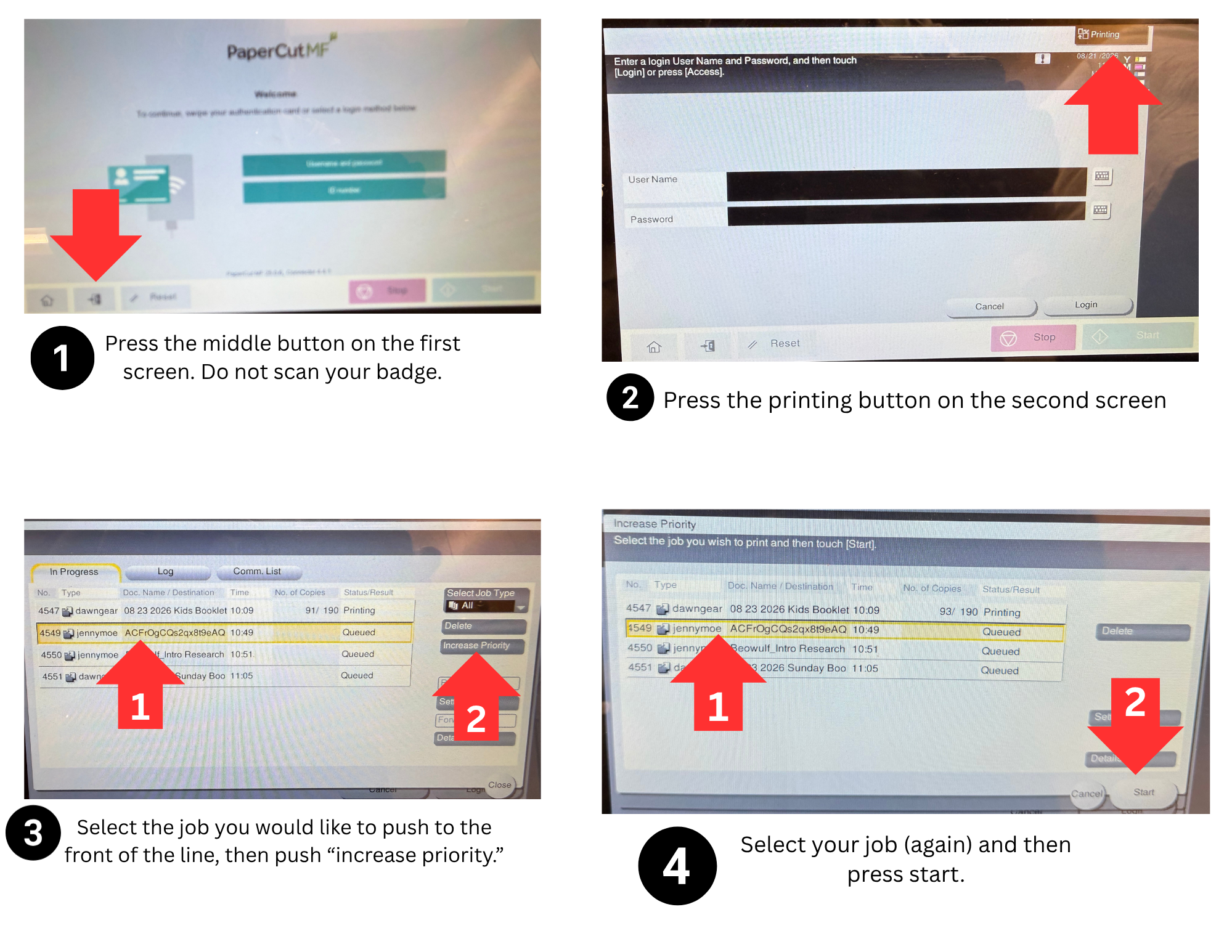
How to prioritize your job (cut in line!)
- Press the middle button on the bottom left of the first screen. It looks like a little door.
- Press the printing button on the top right of the second screen.
- Press the line of the job you want to push to the front of the line, then press the "increase priority" button on the right side of the screen.
- Select your job again on the next screen, then push the "start" button on the bottom right.
- The machine will finish printing on the papers that are currently in process. Then it will pause the current job to print yours. After that, it will automatically resume the job that you interrupted.
- Yes, there's an option to stop printing - please do not select this option.